
It's good to be a Visa cardholder
Visa offers best-in-class fraud protection, cutting-edge contactless technology, and enhanced travel protection and insurance options, including porch piracy coverage to safeguard your deliveries. With benefits like these, your Mascoma Bank Visa debit card is the perfect way to pay for everyday purchases, monthly bills, and all kinds of other things.
Activate your new card
Step 1
Receive your New Card
You will receive your new card in the mail.
Step 2
Call Visa Activation
Call the number on card letter or back of the card.
Step 3
Follow the Prompts
Follow the prompts provided to you by Visa to activate and pin your card.
During activation, be prepared to provide: Visa Card number, Billing zip code, Last 4 Digits of your Social Security Number, 4-Digit Pin Number (of your choosing)
Activation Step-by-Step Instructions
- Call the activation line
- Dial 1-866-474-9330.
- Follow the menu prompts
- Press 1 to continue in English.
- Enter your full card number, then press #.
- Enter your card’s expiration date (MM/YY), then press #.
- Verify your identity
- Billing ZIP code (5 digits)
- 3-digit security code from your card
- Last four digits of your Social Security number
- Create your PIN
- Enter a new 4-digit PIN, press #.
- Re-enter the same PIN to confirm.
- Completion
- Your PIN is active immediately. Your card is fully activated and ready for use.
To activate your new or replacement business debit card, follow the steps below:
- Call the activation line
- Dial 1-866-474-9330.
- Follow the menu prompts
- Press 1 to continue in English.
- Enter your full card number, then press #.
- Enter your card’s expiration date (MM/YY), then press #.
- Verify your identity
- Enter one of the full phone numbers associated with your account, including area code, then press #.
- Enter your card’s 3-digit security code, then press #.
- Enter your 5-digit billing ZIP code, then press #.
- Create your PIN
- Enter a new 4-digit PIN, then press #.
- Re-enter the same 4-digit PIN to confirm.
- Completion
- Your PIN is active immediately. Your card is now fully activated and ready for use.
Need Help?
Enjoy these benefits with your new Mascoma Bank Visa debit card.
Robust Network
Visa provides the largest network of card carriers with widest global acceptance.
Fraud Prevention
Visa has been and continues to be on the forefront of fraud prevention and mitigation tools.
Added Coverage
Added coverage such as trip cancellation/interruption and porch piracy coverage.
Additional benefits:
Contactless Technology
Tap to pay at checkout for quick, secure, touch-free convenience.
Visa’s Zero Liability Policy1
Shop with confidence knowing you won’t be held responsible for unauthorized use of your card or account information.
Real-Time Fraud Monitoring
Count on 24/7 fraud protection with continuous screening of your account for suspicious card activity.
Customer Service
Enjoy 24-hour cardholder information and assistance by phone, including details about your account, card benefits, and more—available in all major languages.
Lost or Stolen Card Reporting
Rest easy knowing that if your Mascoma Bank Visa debit card is ever lost or stolen, assistance is only a toll-free phone call away—24/7.
Emergency Cash Advance and Card Replacement
Get emergency cash or a new card within one business day of approval, including expedited global shipping and wire transfers within 2 hours of approval.
24/7 Online Banking
Manage your account, check your balance, and much more at mascoma.bank or in your Mascoma Bank digital banking app.
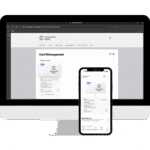
Manage your Card in Digital Banking
Full control of your Visa Debit card—activation, security, and alerts in one spot.
Visa Frequently Asked Questions (FAQ)
Why am I receiving a new card?
We’re transitioning your Mascoma Bank debit card from Mastercard to Visa, which provides many valuable features and benefits. We hope you’ll enjoy the enhanced services of your new Visa card.
Will my account terms, fees, or due dates change?
No. Your basic account terms all remain the same.
Can I still access my account at the ATM?
Yes. You will be able to use your Mascoma Bank debit card at the ATM once you set a PIN for your new Visa card.
What will happen with automatic/recurring bill payments on my card?
Once you receive your new card, you’ll need to update your new account number, expiration date, and security code with merchants who regularly bill this account.
When will my Mastercard debit card stop working?
Your Mascoma Bank Mastercard debit card will no longer work after March 9, 2026.
What should I do when I receive my new Mascoma Bank Visa debit card?
- Please activate your new Visa card by calling the phone number on the back when you receive it.
- Once activated, destroy and discard your Mascoma Bank Mastercard debit card immediately for security purposes.
- Update your payment and billing information with any merchants or service providers who have it saved.
When can I start enjoying the benefits of my new Visa card?
You can start enjoying the benefits of Visa as soon as you activate your new card.
How can I update my payment and billing information with merchants or service providers who may have it saved?
When you receive a new Mascoma Bank debit card, you’ll need to update your card details directly with any merchants that store your information. Visit each merchant’s website or app and look for sections such as:
- Payment Methods
- Billing
- Account Settings
- Wallet
- AutoPay or Subscriptions
Remove your old card and add the new one to avoid any interruption in service.
Ways to identify merchants that may have your old card number saved
If you’re unsure where your card is stored, reviewing a few months of recent transactions in digital banking can help. Look for recurring charges or merchants you use frequently.
Common places where card information is often saved include:
- Mobile phone carriers
- Cable or internet providers
- Streaming services
- Insurance companies
- Highway toll or EZ-Pass accounts
- Food delivery or grocery delivery apps
- Utility providers
- Subscription-based apps, news, or software
- Online retailers you shop with often
Why do I need to update my payment and billing information with merchants and service providers who may have it saved?
If you don’t update, you risk late or missed payments, which could potentially impact your credit score.
Can I activate my new card through Digital Banking?
During our migration from Mastercard to Visa, we recommend calling the number on the back of your card for activation and Pinning. In the future, we are excited to offer card activation through Digital Banking.
Who can I reach out to for assistance with my Mascoma Bank debit card?
Please contact our Customer Care Call Center at 888-MASCOMA (627.2662) or visit your local branch for assistance.
1 Visa’s Zero Liability policy does not apply to unauthorized transactions on prepaid cards for which Mascoma Bank has not collected the cardholder’s personal information prior to the transaction or to certain commercial card transactions. Cardholders must use care in protecting their card and notify Mascoma Bank immediately of any unauthorized use. Cardholders should contact Mascoma Bank for additional details.