Once you’re logged in, your dashboard becomes your home base—giving you quick access to the tools and information you use most. It’s designed to help you move through your everyday banking tasks with fewer clicks and a clearer view of your finances.
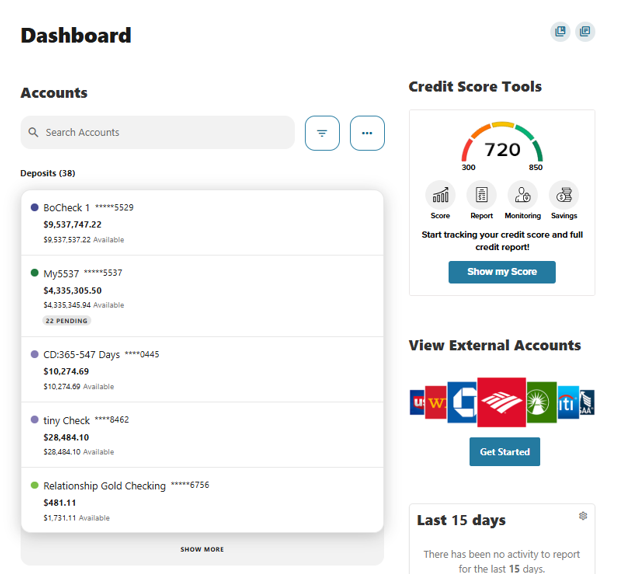
Here’s what you can expect to see from a desktop view
1. Credit Score Tools
Instantly view the primary account holder’s credit score and track changes over time.
2. Accounts Overview
Your accounts are neatly grouped by type—such as Checking, Savings, and Loans—so you can quickly find what you need.
3. Linked External Accounts
Any accounts you’ve connected from other financial institutions appear here, giving you a more complete picture of your finances.
4. Activity Modules
A quick snapshot of your recent transactions and upcoming scheduled activity helps you stay on top of what’s happening next.
Reordering is not yet available in the mobile app.
Please reach out if you have questions or need additional assistance.