The Digital Banking Dashboard enables you to view account information, alerts, and navigation options.
Account Search on Dashboard
You can locate accounts directly from the dashboard using the enhanced account search functionality.
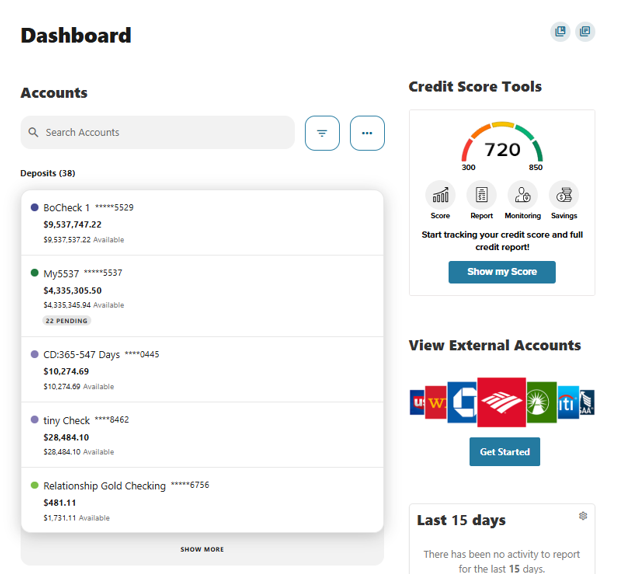
Consolidated Alerts Pill
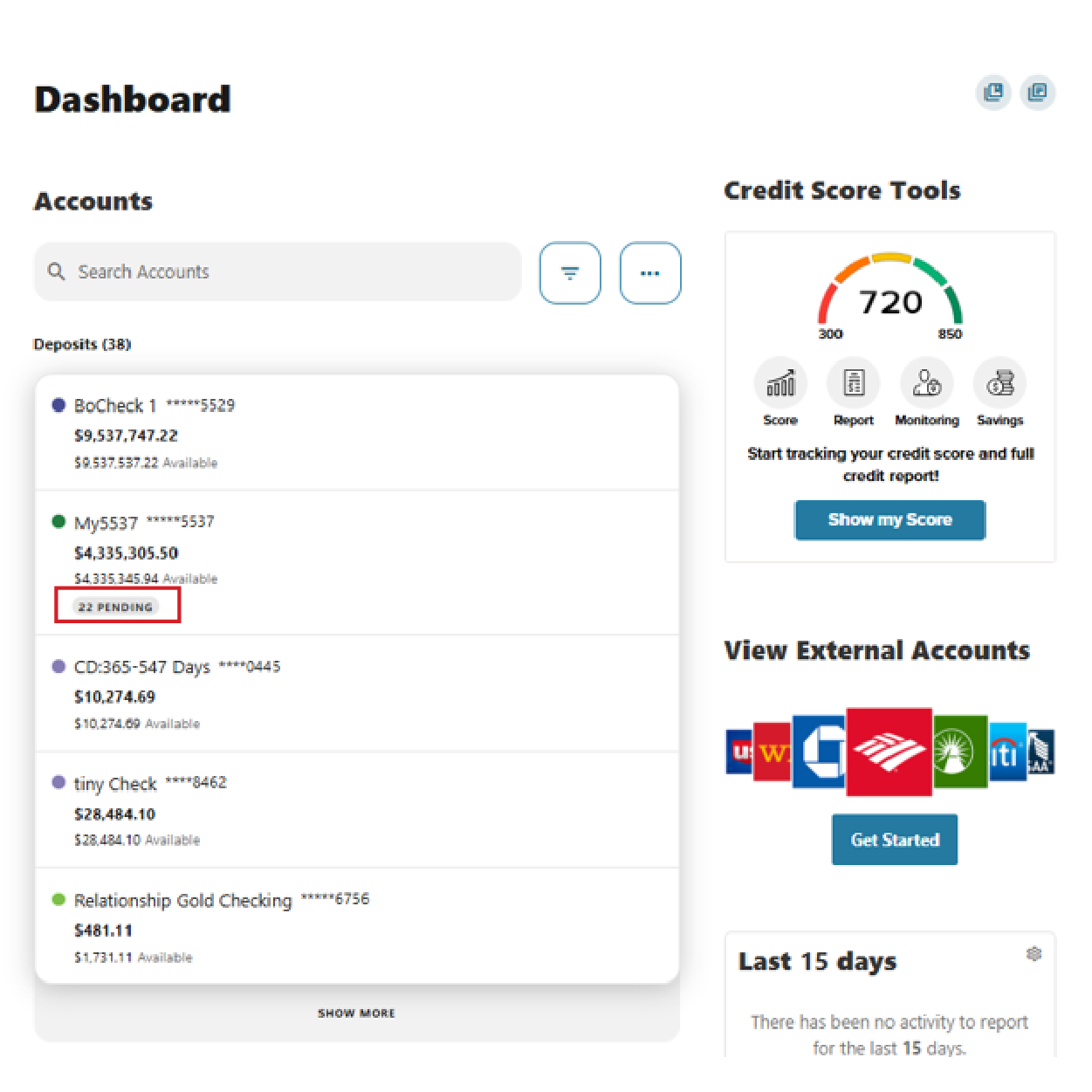
Alerts for each account are grouped into a single Alerts Pill.
- The Alerts Pill appears only when an account has one or more alerts.
- The pill displays the total number of alerts for that account.
- Hovering over the pill reveals a tooltip listing all alerts associated with the account.
- All alert messaging continues to follow existing alert configurations.
Alerts are redesigned for clarity and ease of use:
- All alerts for an account are consolidated into a single tooltip, accessible via the Alerts Pill.
Account Component
Account Menu
The account menu provides quick access to key actions:
- Navigate to Accounts – Opens the full Accounts view.
- Navigate to Transfers – Opens the Transfers section.
- Edit Account Tags – Available when the Account Tagging feature is enabled.
Payment Information
- Payment information follows existing configuration settings.
- The Payment Due button continues to use the existing Pay Now button settings.
Please reach out if you have questions or need additional assistance.