The Account Widget Search Bar provides an intuitive way to find and navigate between your accounts. This feature is available on both the Dashboard and Accounts pages.
Search Across Your Accounts
The search bar allows you to quickly filter your accounts using:
- Search terms (such as account name, nickname, or number)
- Search filters (when available)
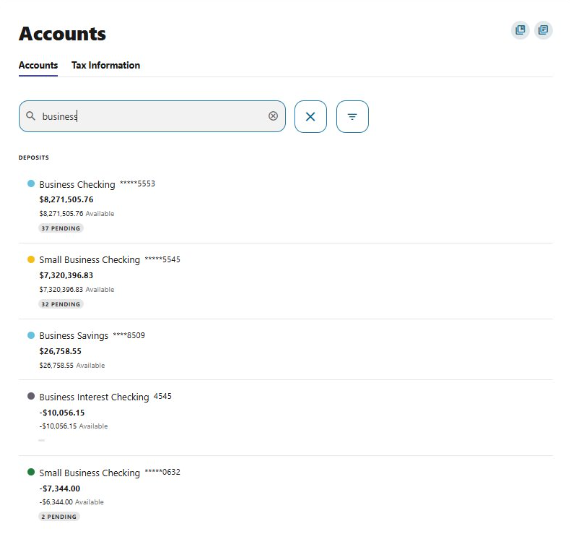
As you type, the account list updates instantly, helping you locate the right account without scrolling.
Using the Search Bar
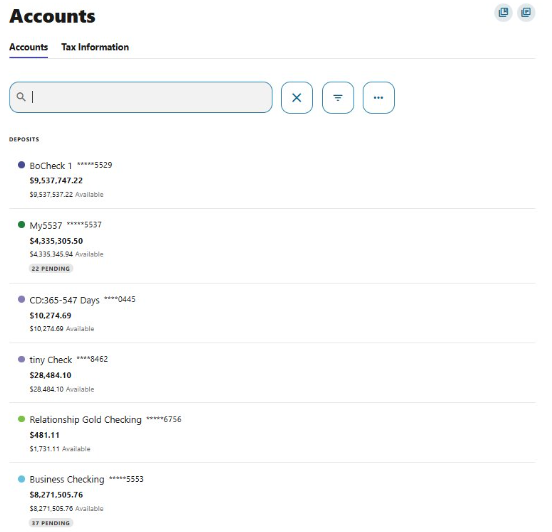
You can use the Account Search Bar in two ways:
- Click into the search bar to view a full list of your available accounts.
- Begin typing to narrow the list and find a specific account quickly.
This feature is especially helpful if you have multiple accounts or account types.
Navigate Between Accounts
When viewing an individual account, the search bar remains available at the top of the page. This allows you to:
- Jump directly to another account
- Switch between accounts without returning to the Dashboard or Accounts list
Please reach out if you have questions or need additional assistance.