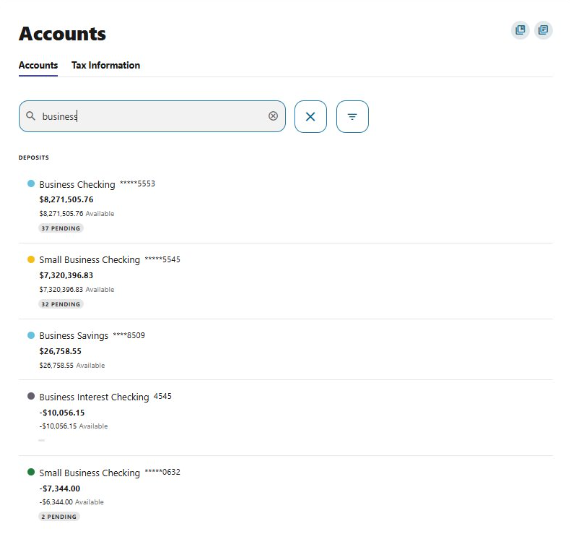
The Accounts Widget enables you to switch accounts directly using the built‑in search.
Search-Based Account Navigation
You can search using:
- Account nickname
- Account type (e.g., Checking, Savings, Loan)
- Last four digits of an account number
This makes it easier to find the exact account you need, even if you have many accounts.
How to Switch Between Accounts
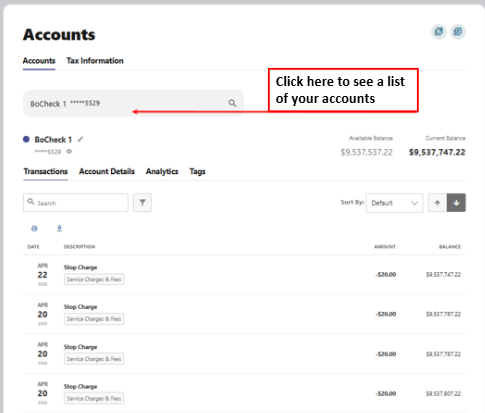
Within the Accounts Widget:
- Click into the search field at the top of the widget.
- Begin typing to filter your accounts.
- Select the account you want to view from the results.
This allows you to move between accounts without leaving the page you’re on.
Please reach out if you have questions or need additional assistance.