Your Dashboard includes a streamlined way to view and manage your accounts. Accounts are automatically organized into condensed, expandable groups, making it easier to browse and focus on what matters most.
Condensed & Expandable Account Groups
To reduce scrolling and simplify navigation, accounts are now displayed in grouped sections that you can expand or collapse as needed.
You can:
- Quickly scan account categories
- Open only the groups you want to view
- Keep your Dashboard clean and organized
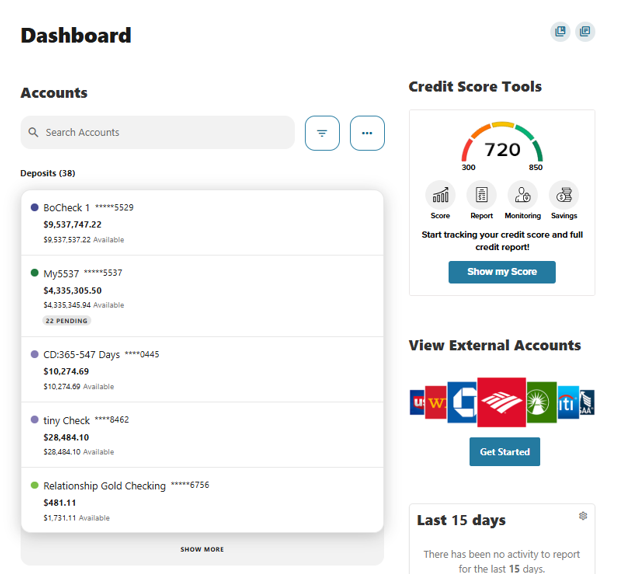
Search and Filter Within Groups
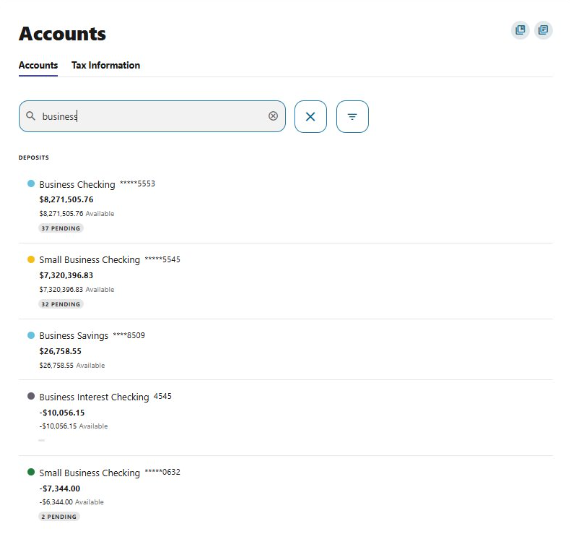
You can use the Account Search Bar and available filters to locate specific accounts instantly.
Searching will:
- Highlight matching accounts
- Expand only the relevant groups
- Help you jump directly to the account you need
Reordering Accounts
If you prefer a custom order, you can rearrange your accounts anytime.
To reorder:
Go to: Tools > Settings > Accounts
From there, you can drag and drop accounts into the order that works best for you.
Please reach out if you have questions or need additional assistance.