This article describes how to change the visual theme in Digital Banking.
Please note you can only change the theme through the Desktop version.
Step 1
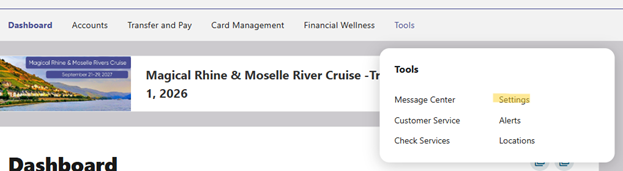
In your Digital Banking application, go to Tools > Settings.
Step 2
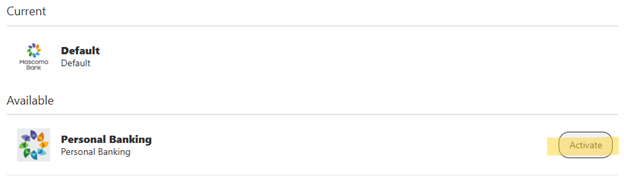
Click Themes. The Available section lists themes that you can select to personalize your interface for a different visual experience.

Step 3
Click Activate next to the theme you want to apply.
Please reach out if you have questions or need additional assistance.