This article explains how Mobile Deposit lets you use your bank’s mobile app to deposit a paper check directly into your checking or savings account.
Making Your Deposit
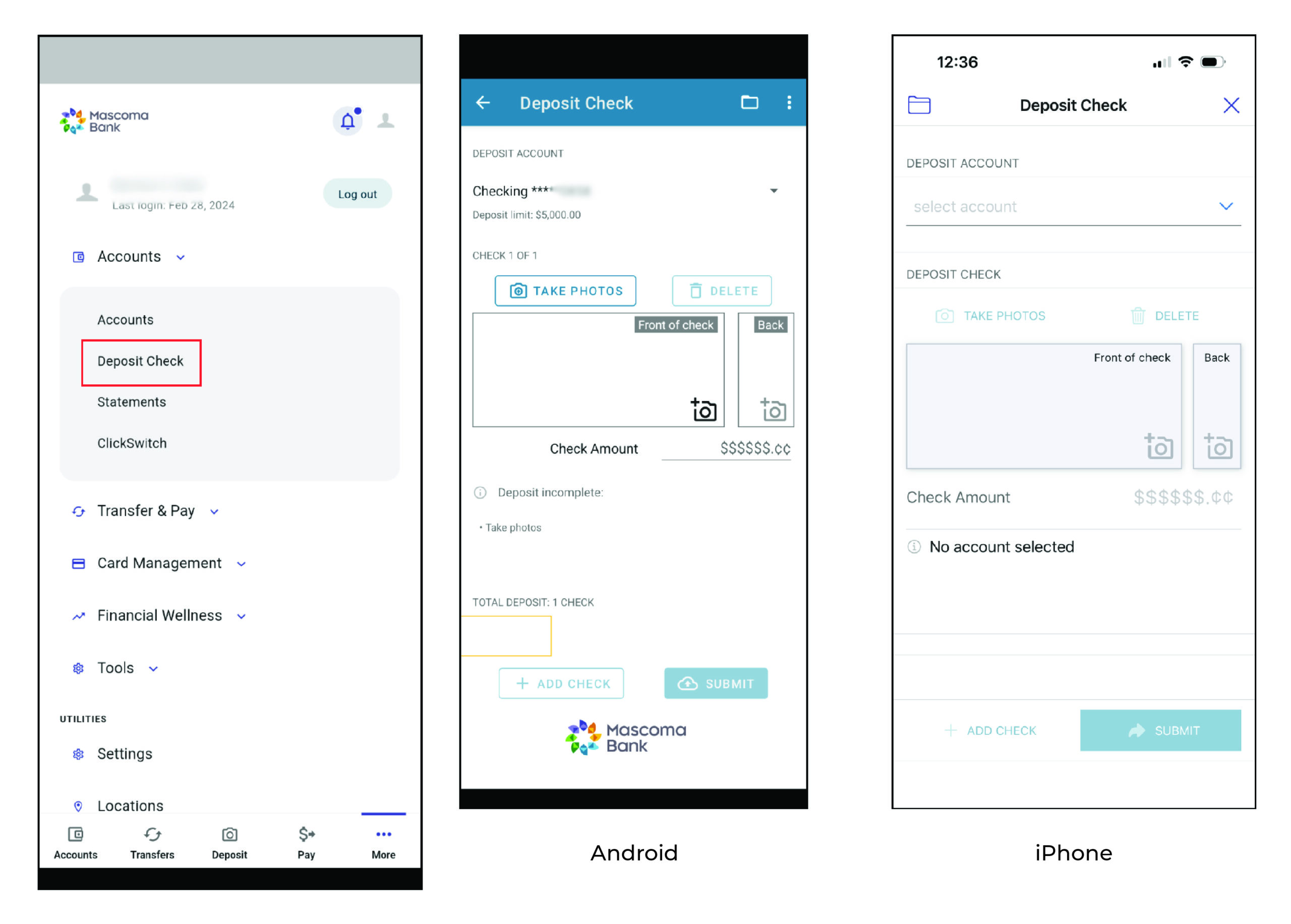
- Under “Accounts”, tap on “Deposit Check”. You can also tap on the camera icon at the bottom of the screen (with “Deposit” labeled underneath). First-time users will need to accept disclosures
- Follow the prompts in the app to upload pictures of the front and back of your check
- Enter the amount and click the “Submit” button
Checking Your Mobile History
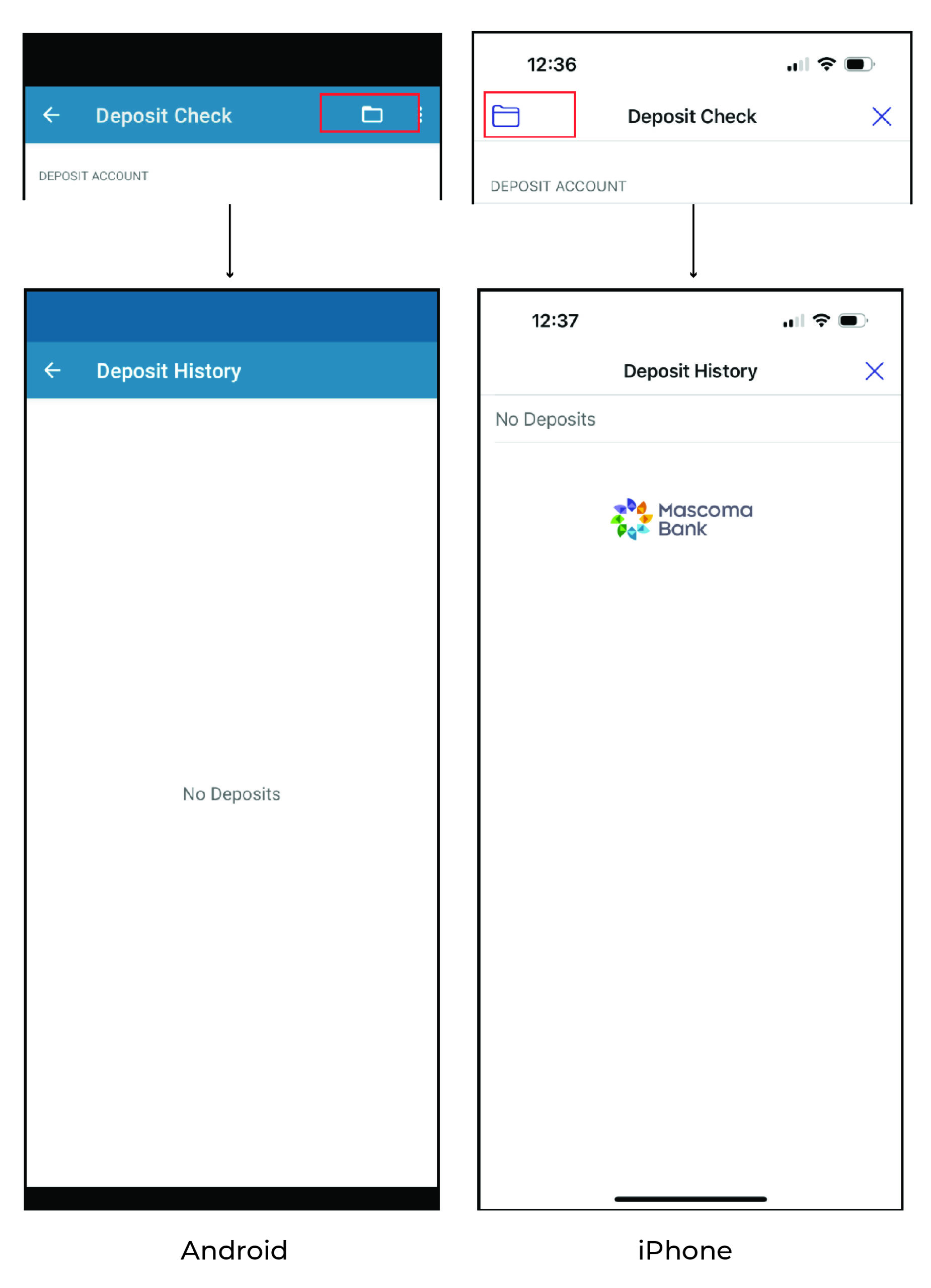
- Go to “Mobile Deposit” as if you were going to make another deposit
- Choose an account
- At the top, you will see a folder icon. Tap the folder to see your deposit history
Please reach out if you have questions or need additional assistance.