This article outlines a quick setup process so you can access your dashboard and start using digital banking right away.
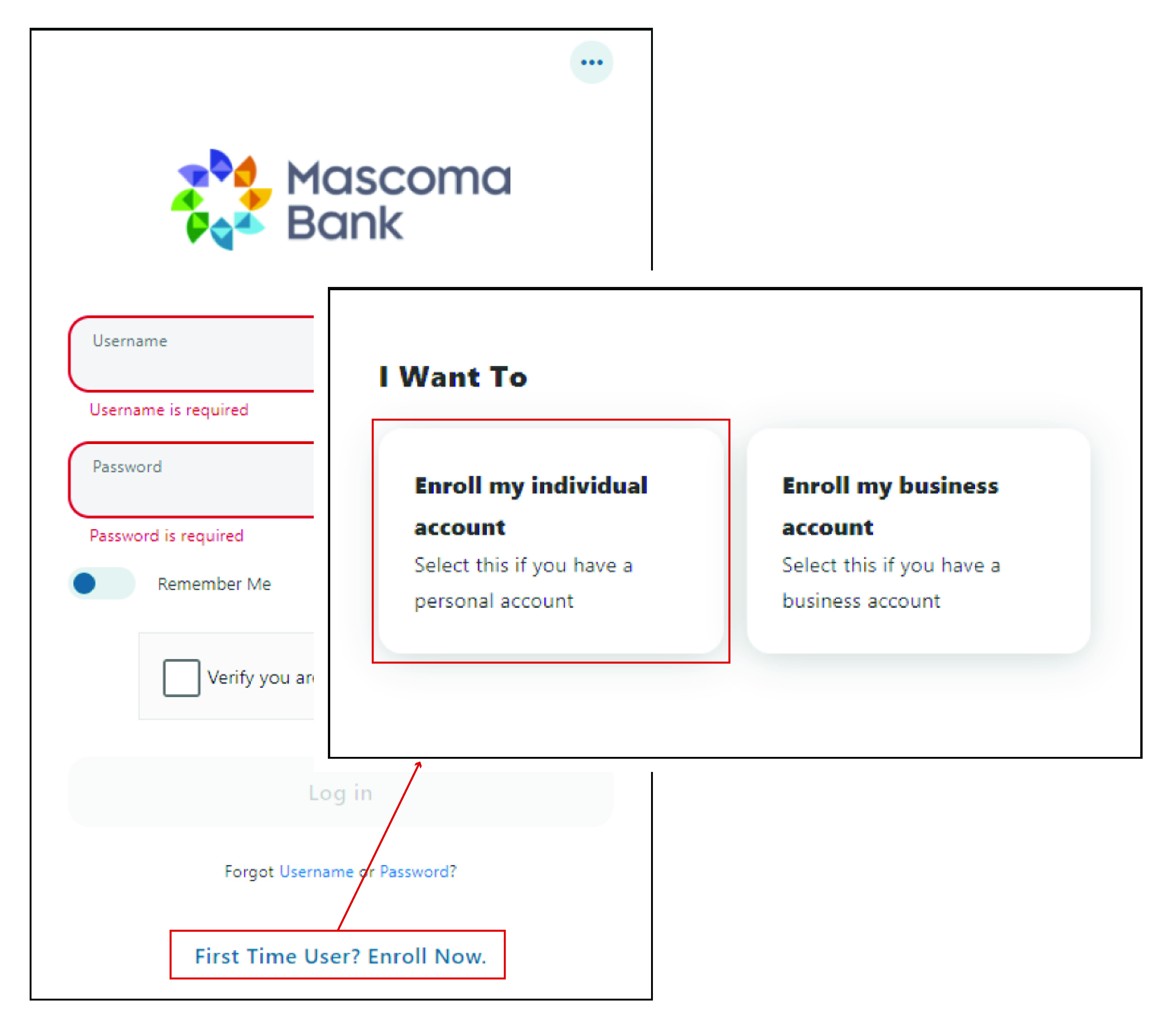
Step 1: Start Enrollment
- Click “First Time User? Enroll Now.”
- Select “Enroll my individual account” (for personal accounts)
Step 2: Review & Accept Terms
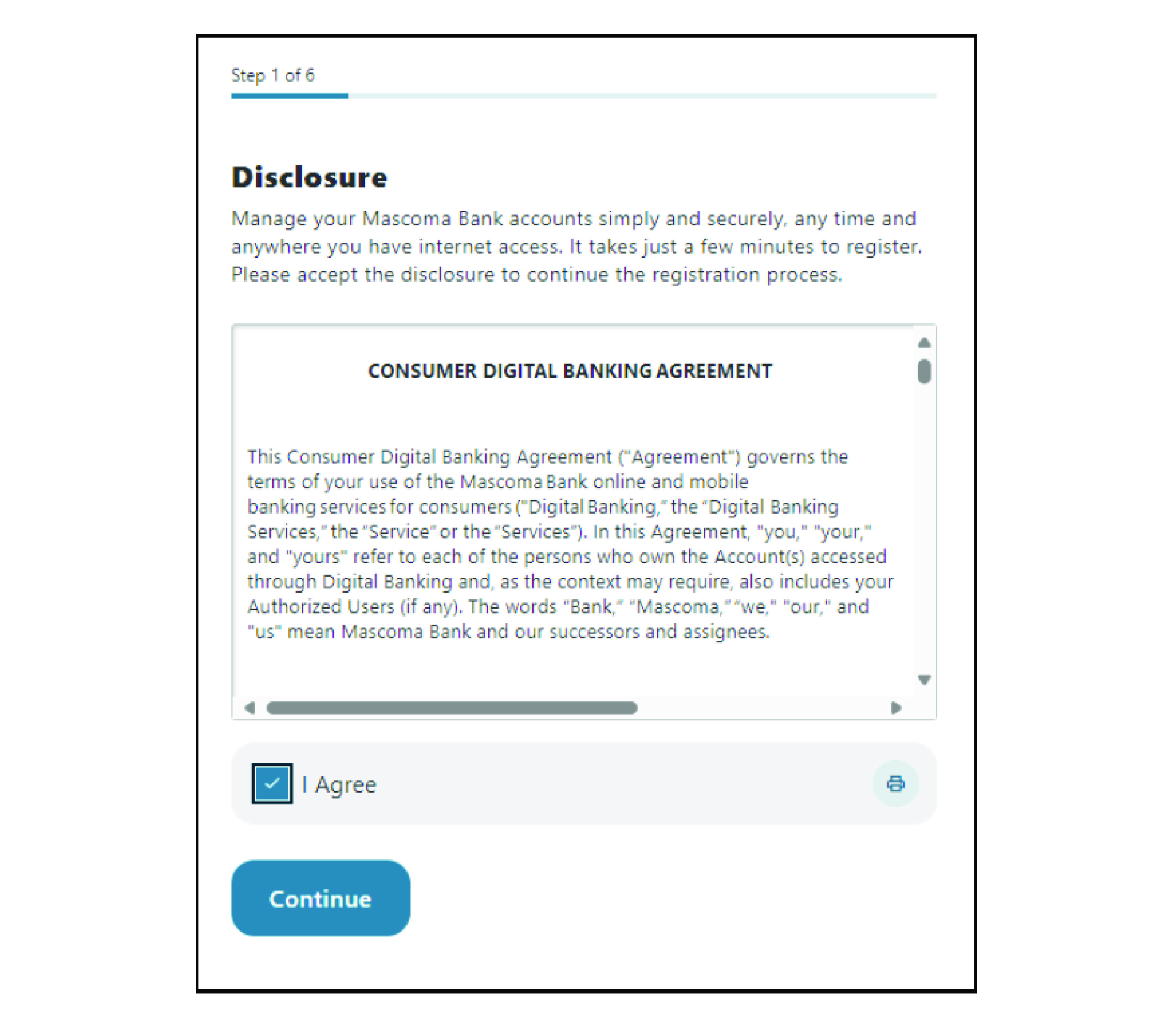
- Review the disclosure
- Check the “I agree” box
- Click “Continue”
Step 3: Identify Verification
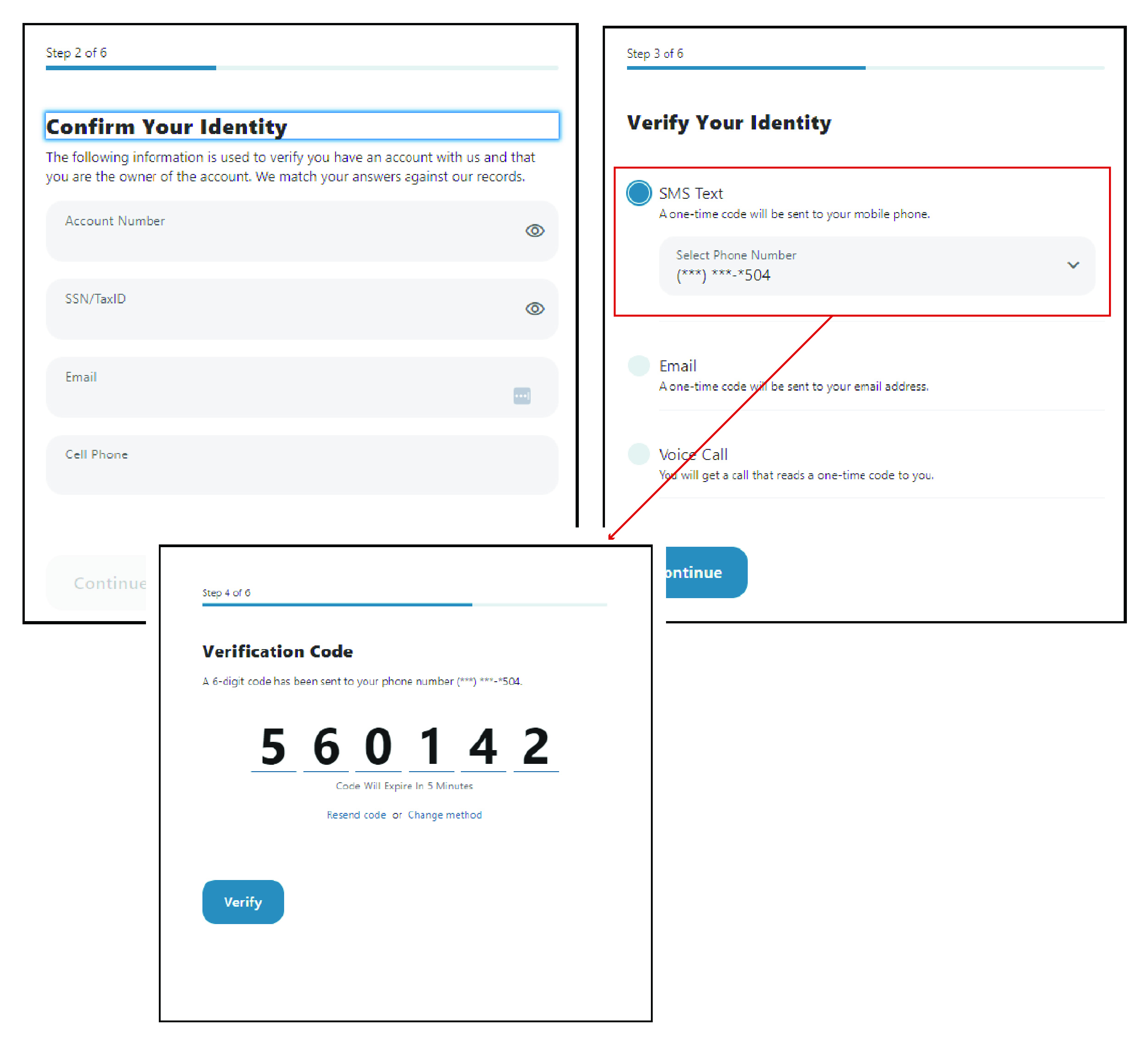
- Confirm your identity
- Choose a preferred verification method
- Click “Continue”
- Enter the verification code
- Click “Verify”
Step 4: Create Login Credentials
Once your group is created:
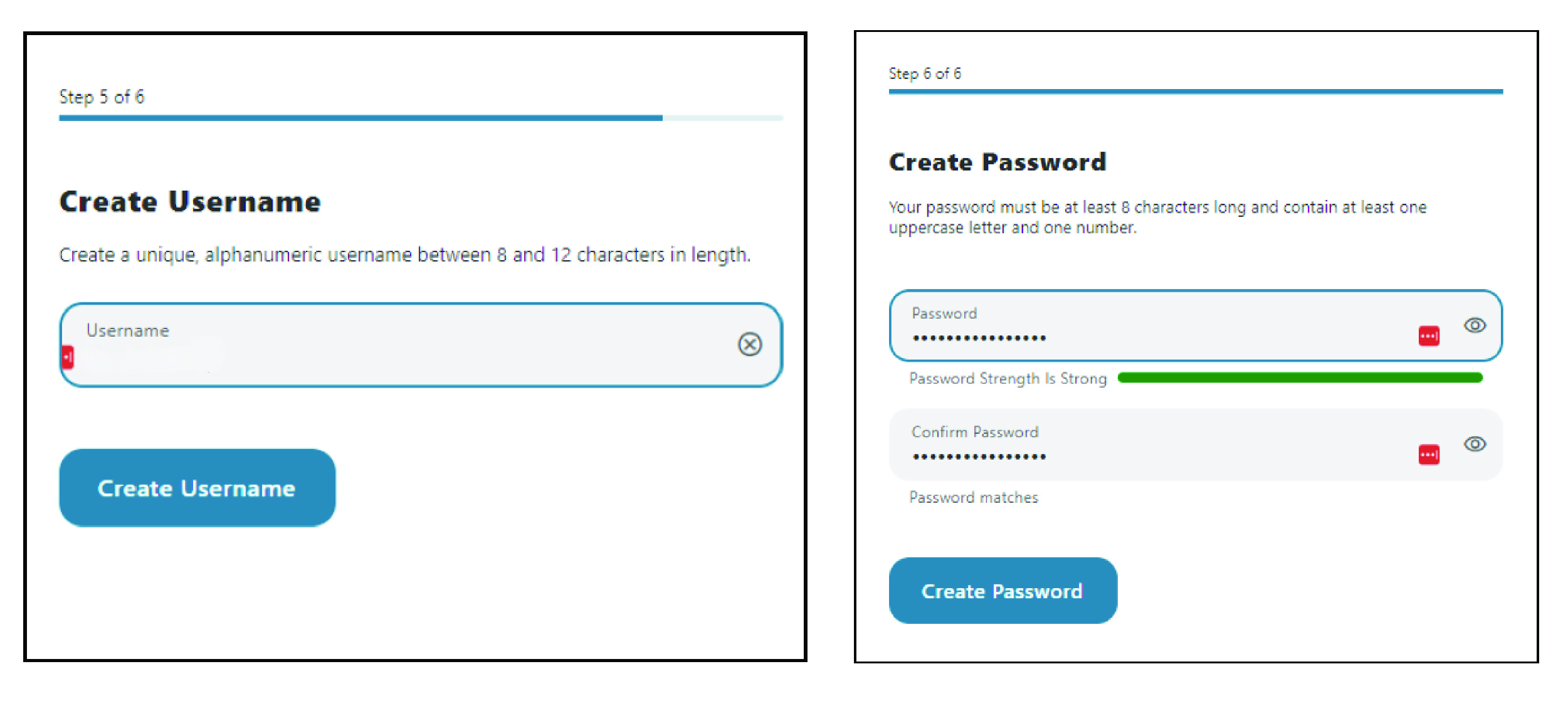
- Create a username
- Create a password
- Access your account dashboard
Please reach out if you have questions or need additional assistance.