This section allows you to control how your debit card is used, update card information with online merchants, and notify the bank of upcoming travel. These tools help you manage security, keep payment information current, and avoid disruptions while traveling.
Manage My Card
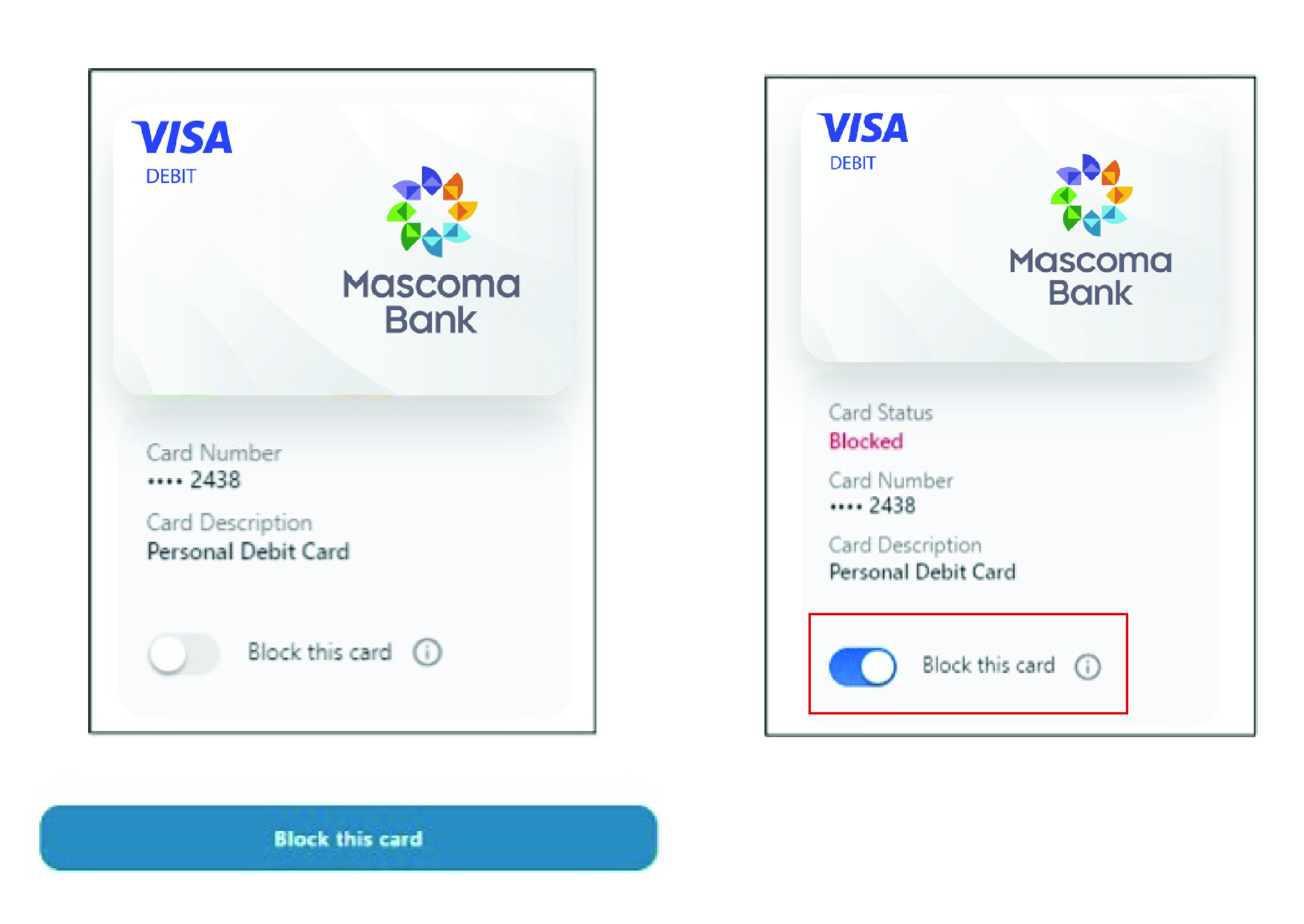
Under the Card Management menu, you will find Manage My Card. Here you can block your card to prevent it from being used for new purchases without closing your account. You can unblock your card at any time.
- Use the toggle to block the card. Click “Block this card”
- Use the toggle to unblock the card when/if you are ready. Click “Block this card”
- You’ll receive a notification letting you know your card is unblocked and available to use again
Card Updater
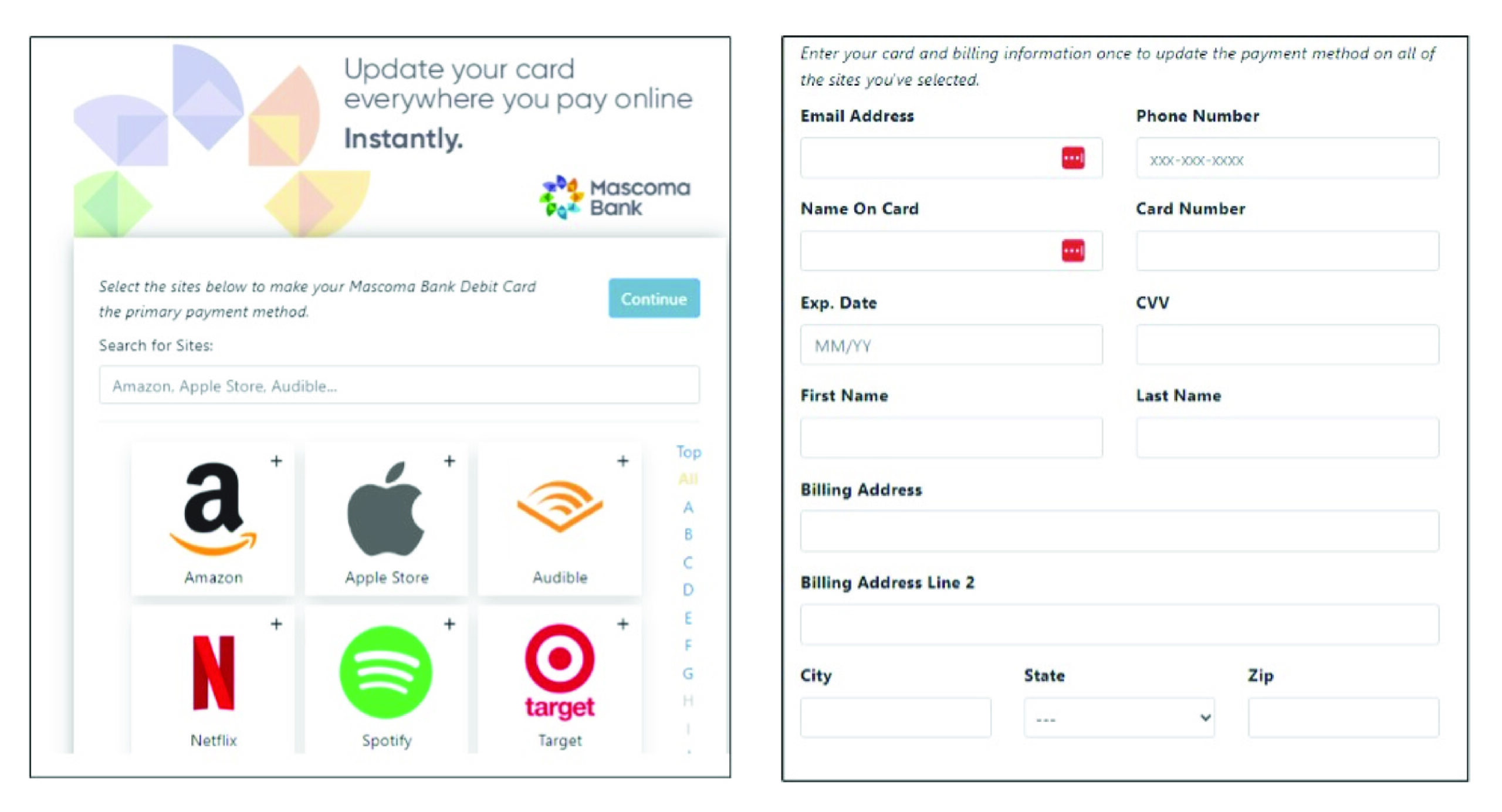
Update your card everywhere you pay online instantly.
- Search for the merchant and click the “Continue” button
- Enter the card and billing information, once, to update the payment method on all the sites you’ve selected. Click the “Continue” button
- Follow the prompts to complete the process
Please reach out if you have questions or need additional assistance.