You can customize how your card behaves and how you receive notifications by updating your Alerts and Controls settings. Follow the steps below to adjust your preferences.
Step 1: Sign in to Digital Banking
Use your username and password to access your account.
Step 2: Go to the Accounts or Services Menu
These options appear in your main navigation once you’re signed in.
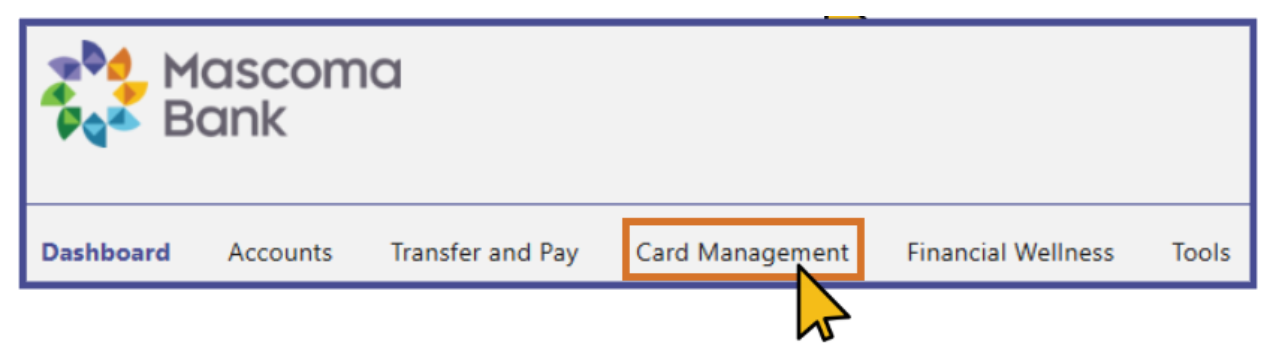
Step 3: Select Card Management
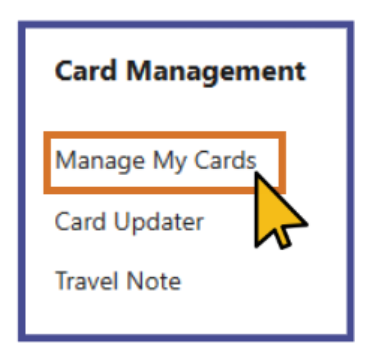
Step 4: Choose Manage My Cards
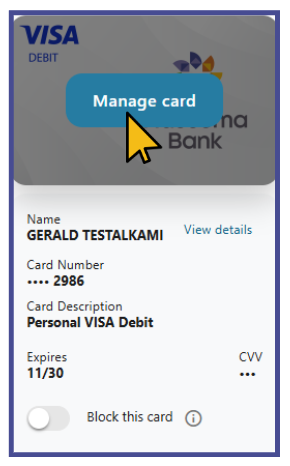
Step 5: Select the card you want to update.
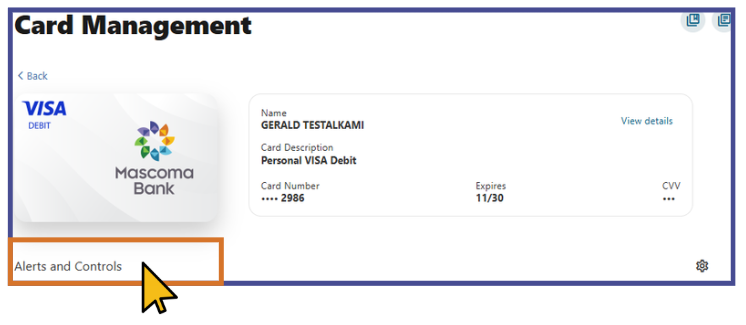
Step 6: Choose Alerts and Controls.
Step 7: Under My Card Settings, select one of the following options:
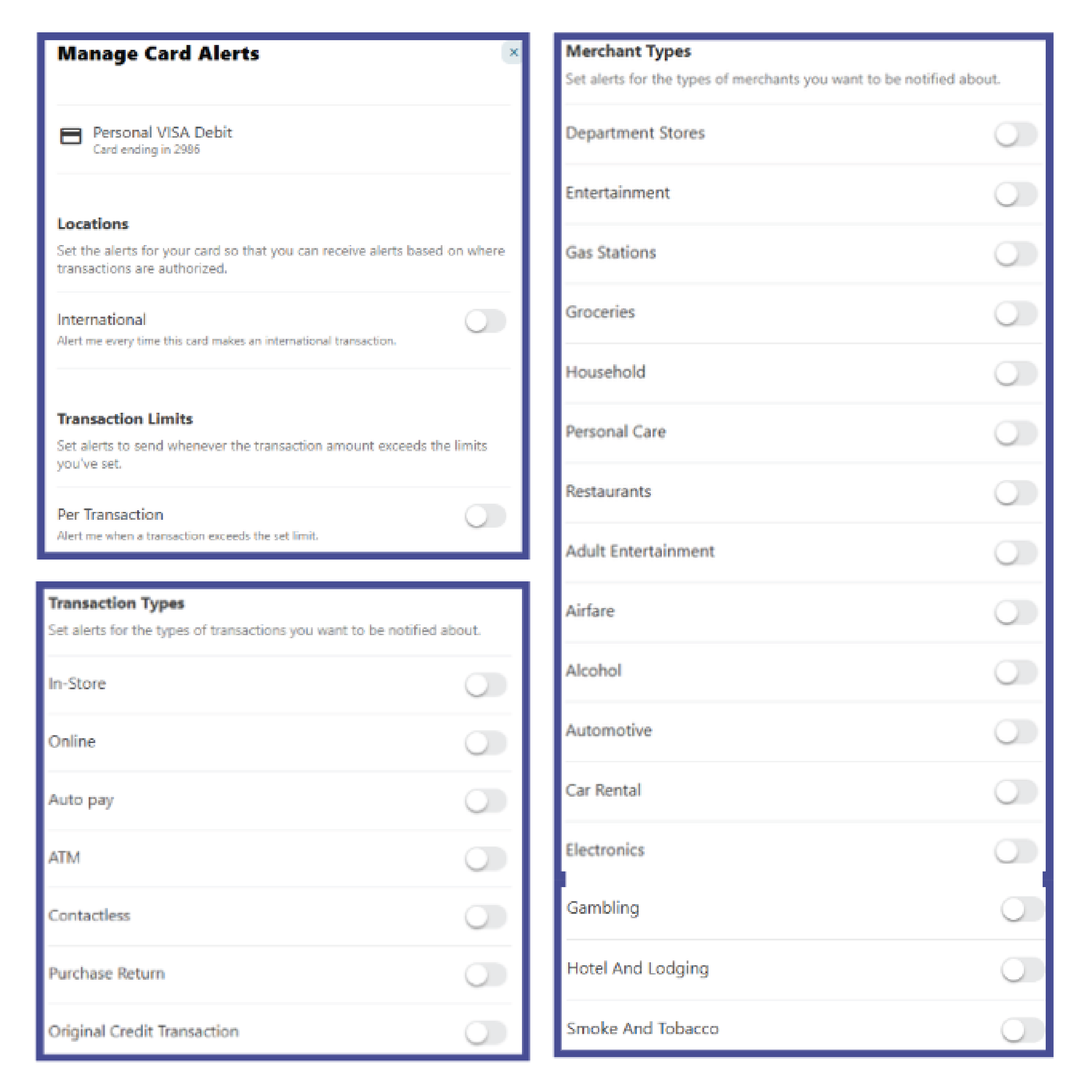
- Manage Card Alerts — Set up or modify notifications for transactions, spending limits, and other activity.
- Manage Card Controls — Enable or adjust controls such as card on/off, transaction types, spending limits, or location preferences.
Mobile Banking Steps
- Sign in to Mobile Banking.
- Navigate to the bottom menu.
- Click on the More tab and select Accounts.
- Choose Card Management.
- Pick the card you want to update.
- Choose Alerts and Controls.
- Under My Card Settings, select either Manage Card Alerts or Manage Card Controls to customize your preferences.
Please reach out if you have questions or need additional assistance.